Weekly Status Summaries
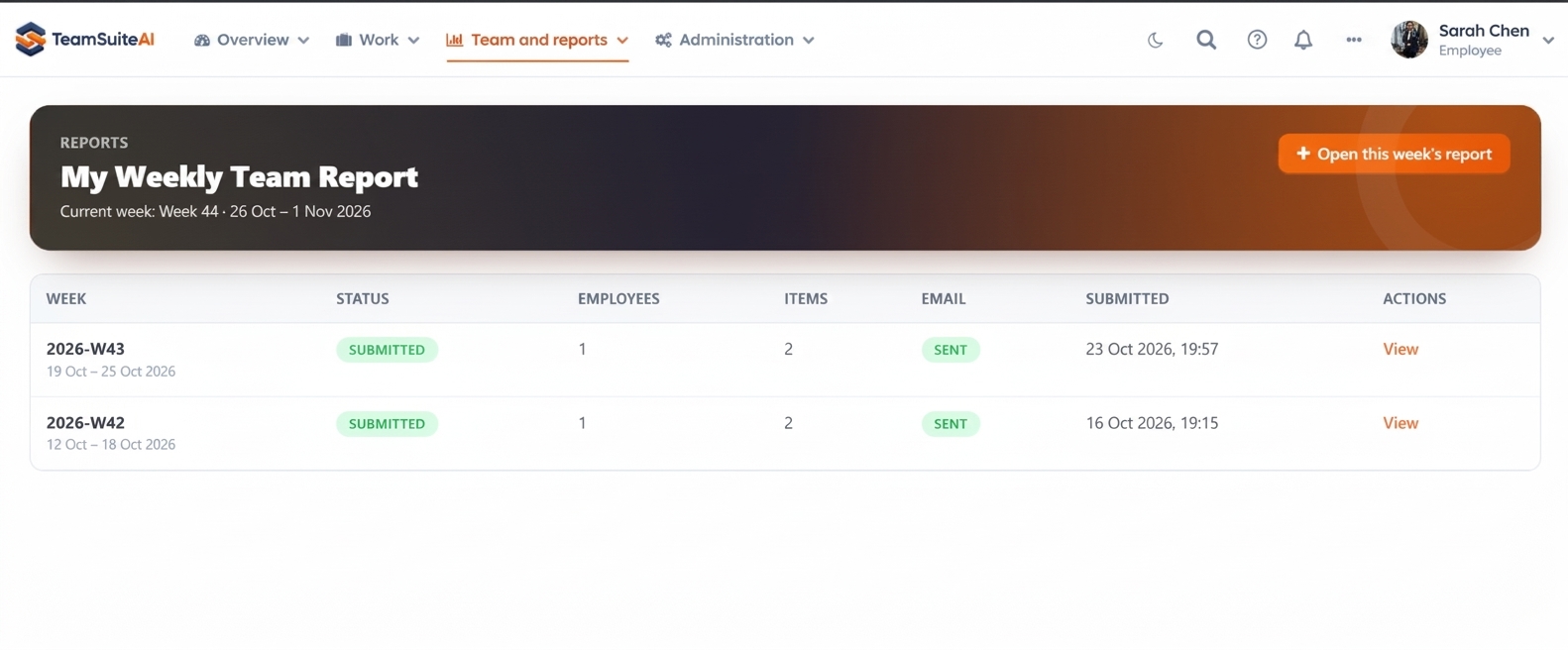
Set your reporting cadence to daily or weekly and let the system compile a structured summary automatically.
Feature overview
The tools your team needs to keep work moving.
Weekly Status Summaries turn recurring daily activity into a clearer period-level view. They help managers and stakeholders understand what moved forward across the week without reading every individual update in sequence.
What it supports
Capabilities that fit the workflow
Scheduled Runs
Set your reporting time — daily or weekly — and let the system fire it off automatically.
Rolled-Up Reporting
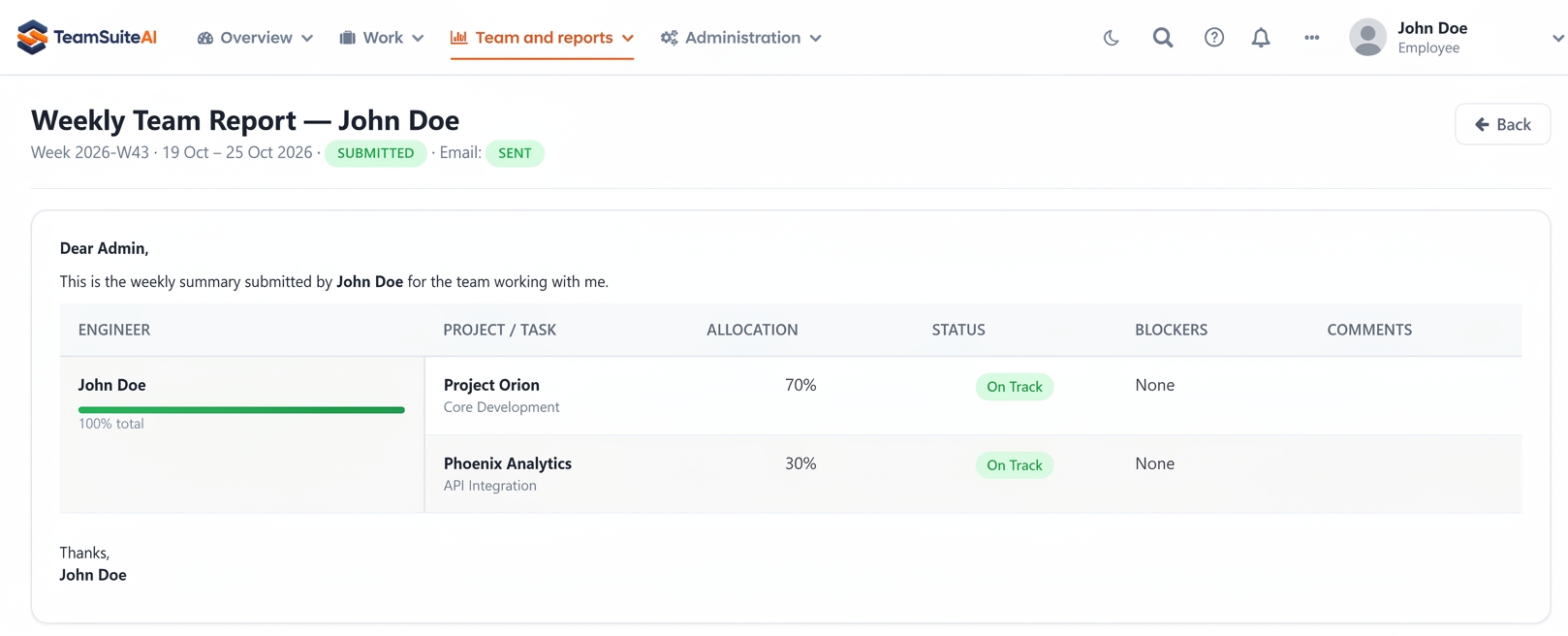
Daily submissions roll up into a weekly summary so stakeholders get the full picture without reading every individual report.
Stakeholder Insights
Export weekly summaries to PDF or share via secure links with clients and executives.
How it works
Connect daily activity to a weekly view
Daily reports and task activity provide the source context; the weekly summary presents that context in a form that is easier to review during planning, stakeholder updates, or the next team check-in.
Best suited for
Weekly client or leadership updates
Managers planning the next reporting cycle
Teams that need continuity between daily reports
Frequently Asked Questions
Everything you need to know about Team Suite AI. Can't find the answer? Reach out to our team.